DentoSmile: Next-Gen Practice Management Platform
Designed & Built for Dr A Alam
A comprehensive, cloud-based clinic management platform streamlining patient records, automated billing, and smart appointment scheduling for modern dental practices
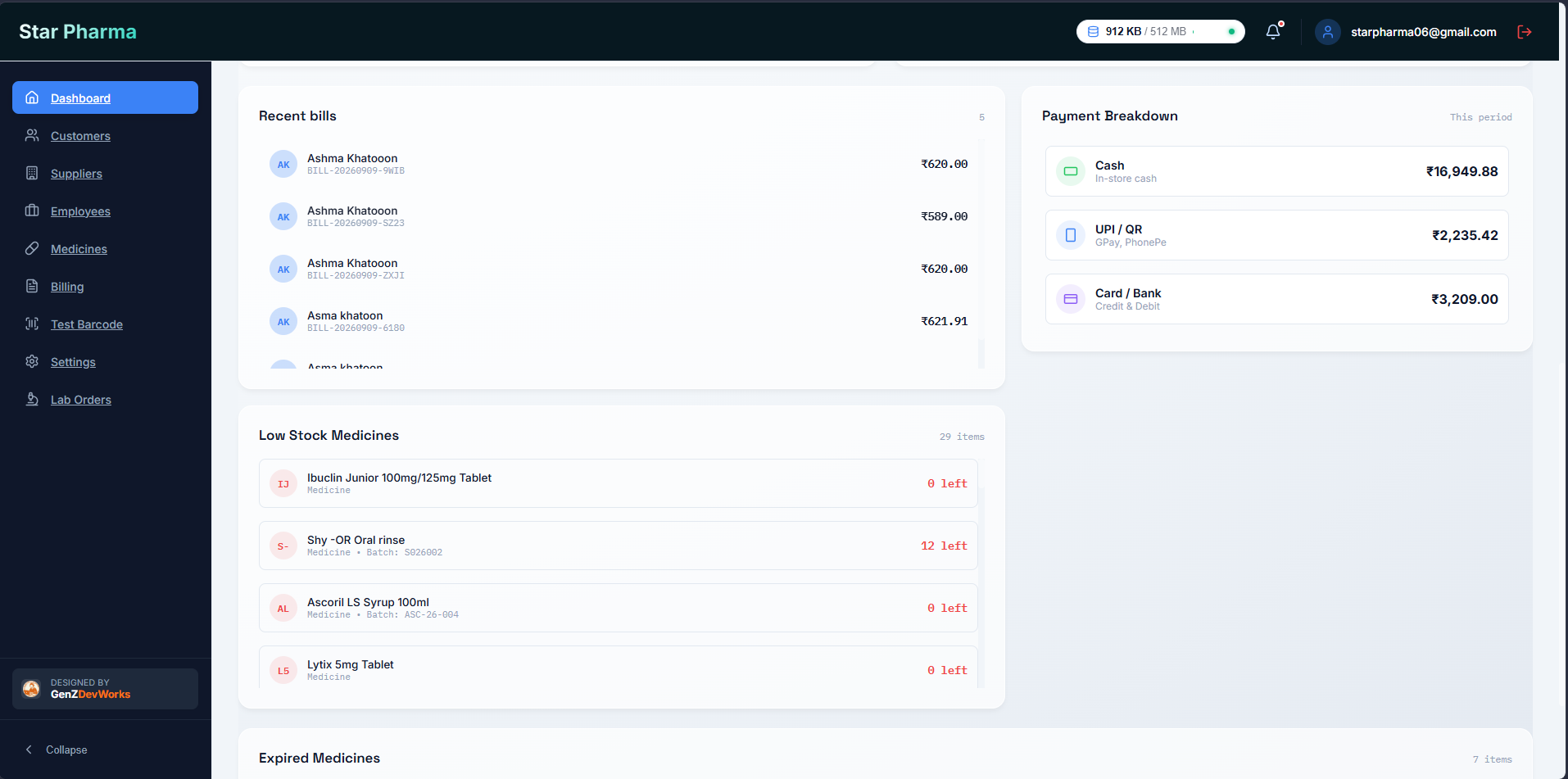
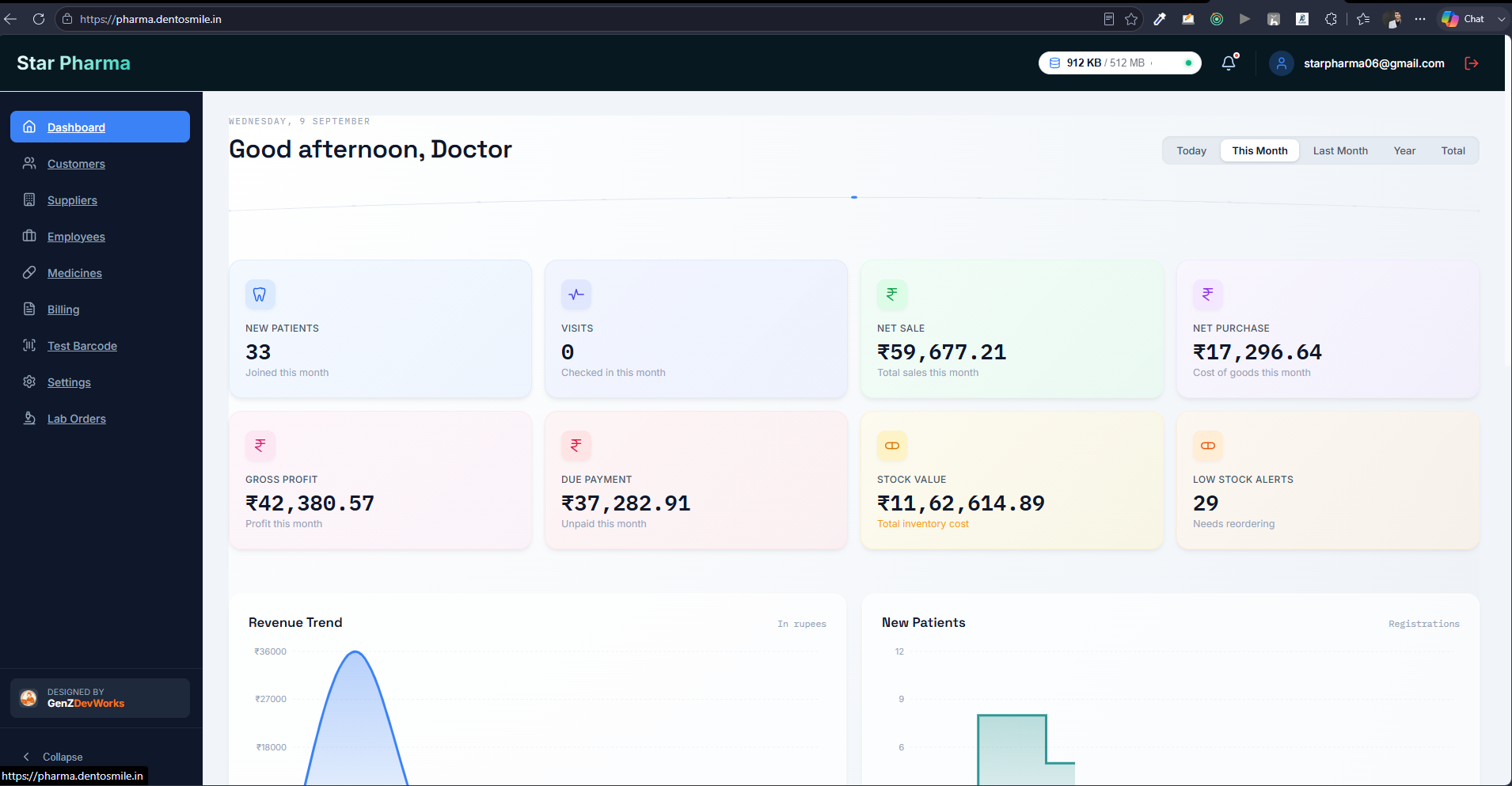
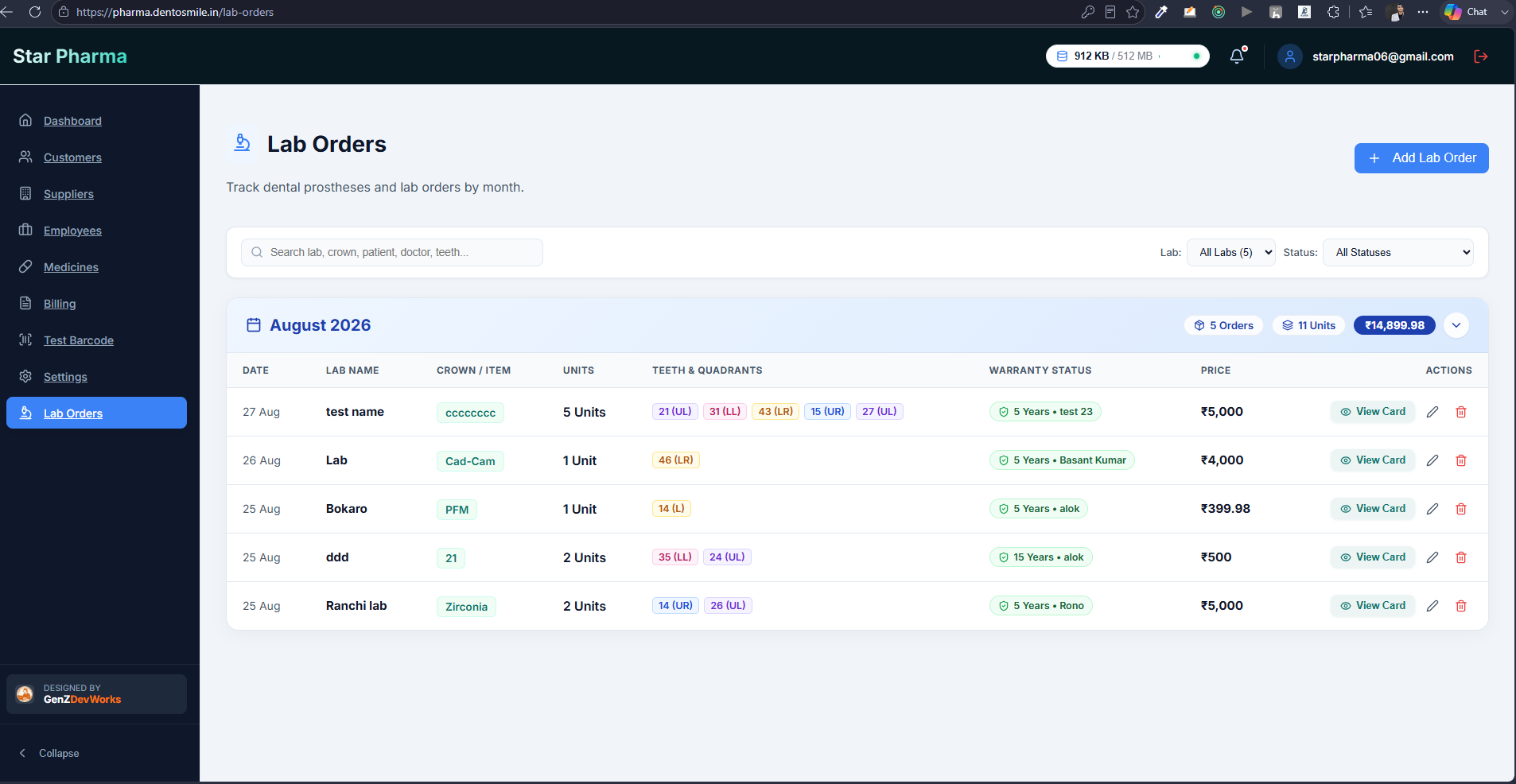
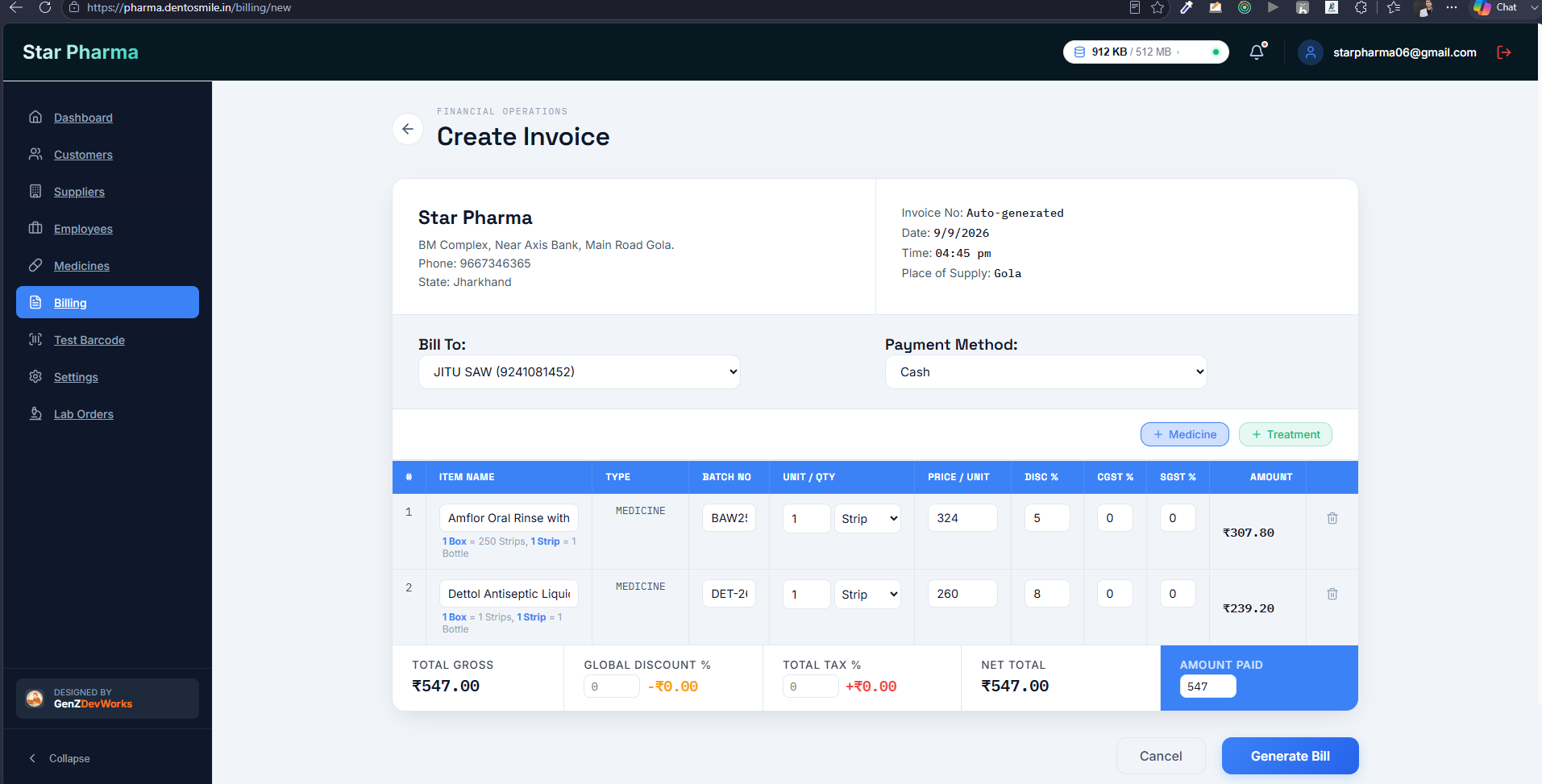
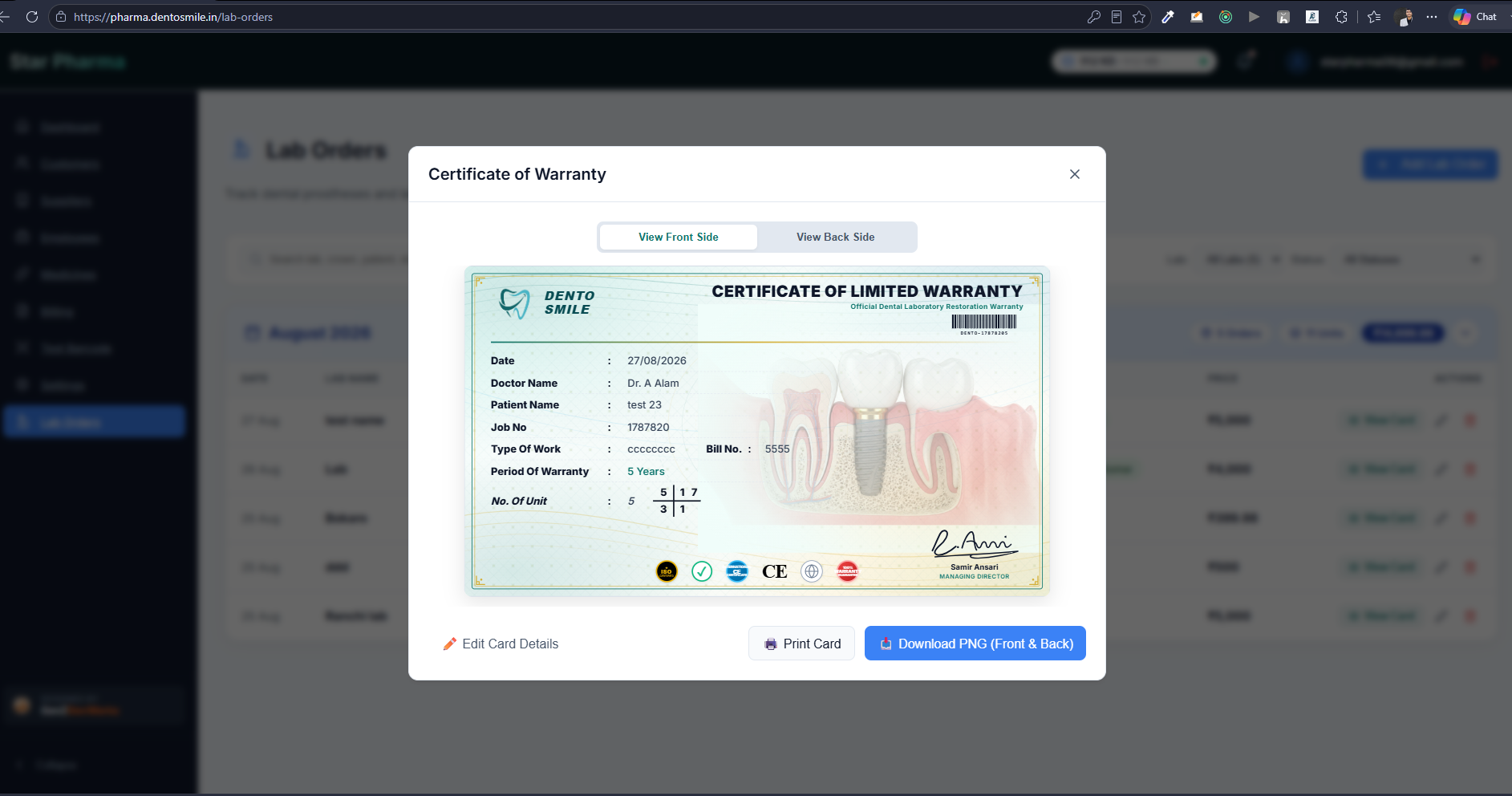
“DentoSmile Pharma is a customized pharmacy and clinic medicine-management system developed to simplify the day-to-day operations of a dental/medical practice. The project started from a simple requirement for a dental-clinic website, but after understanding the client's actual workflow, the scope evolved into a complete digital management solution. The system was designed around the client's existing working process instead of forcing the client to adapt to a generic pharmacy or clinic-management application. The platform provides a centralized interface for managing medicines, inventory, billing, customers/patients, suppliers, transactions, and lab orders. The goal was to reduce manual work, improve data organization, and make frequently performed operations faster and easier to manage. A major focus of the project was creating a clean and practical UI. The client had previously explored existing management applications but found many of them too complicated and cluttered. Therefore, the system was designed with a simplified workflow where commonly used actions could be completed with minimal steps. The application also includes barcode-based lab-order identification and tracking, helping connect physical documents/cards with their corresponding digital records. From a technical perspective, the project involved frontend development, backend API development, database integration, authentication, business logic, responsive UI, and deployment. The system was built as a practical business application rather than a static website. An important part of the project was the continuous improvement cycle. Since the client actively uses the system, feedback from real usage is continuously converted into improvements, workflow changes, bug fixes, and new functionality.”
The client initially approached me for a basic dental-clinic website. However, during requirement discussions, I discovered that the bigger challenge was not the website itself but the client's internal operational workflow. The clinic was managing several activities manually or through disconnected processes, including: Managing medicine information and stock Tracking medicine prices and availability Maintaining customer/patient information Managing suppliers Creating and maintaining bills Tracking transactions Managing laboratory orders Identifying and tracking physical lab documents Keeping operational information organized The client had already looked at existing software solutions, but the main problem was that many of them were too complex, cluttered, or not aligned with his actual workflow. This created another challenge: simply giving the client a generic pharmacy-management application would not solve the real problem. The system needed to be: Simple enough for everyday use Customized to the clinic's workflow Fast for repetitive operations Easy to understand without extensive training Capable of handling multiple connected modules Flexible enough to evolve based on future requirements The challenge, therefore, was not just “build a pharmacy application.” It was to understand the client's real-world workflow and convert it into a simple, customized digital system.
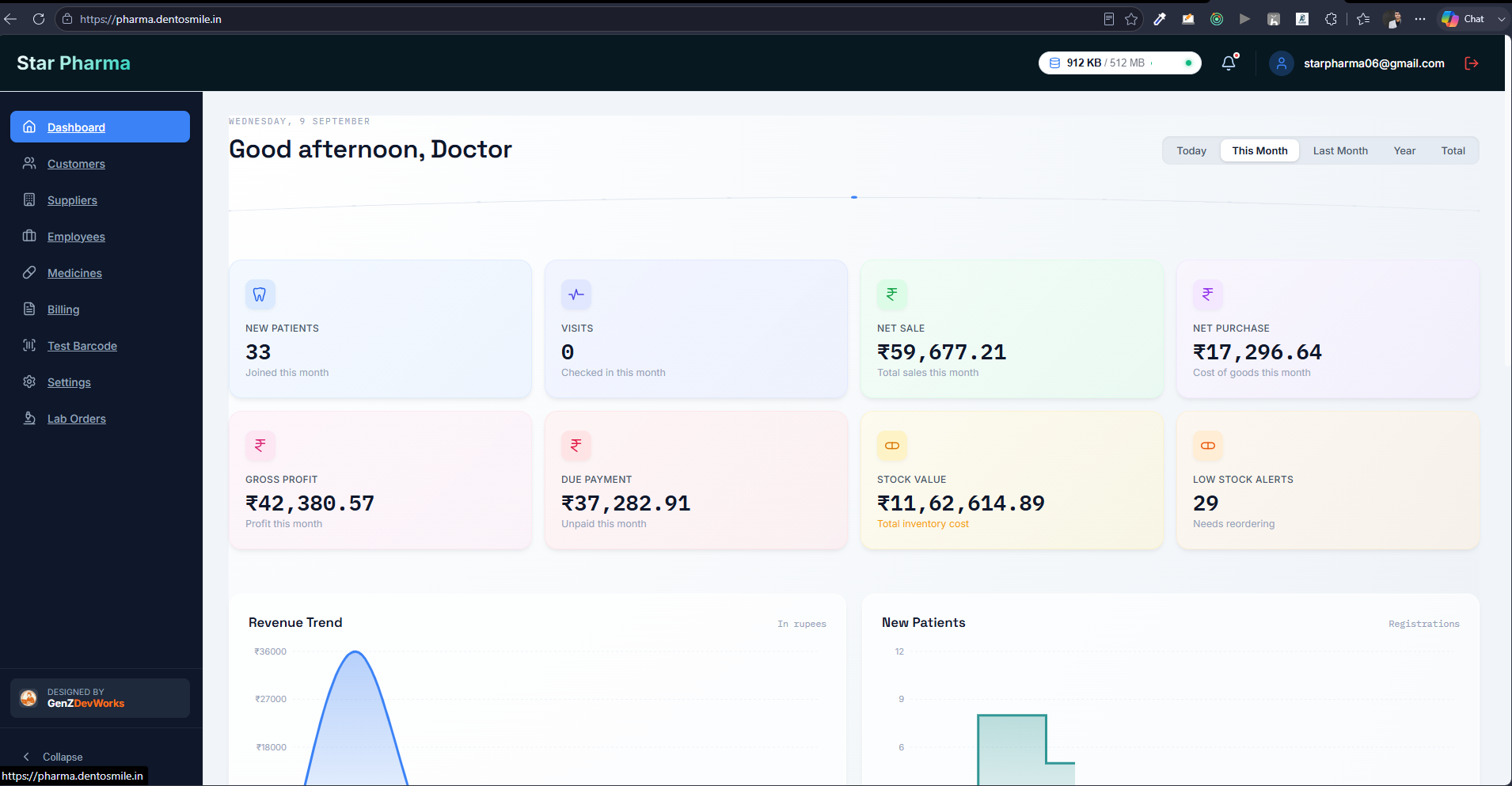
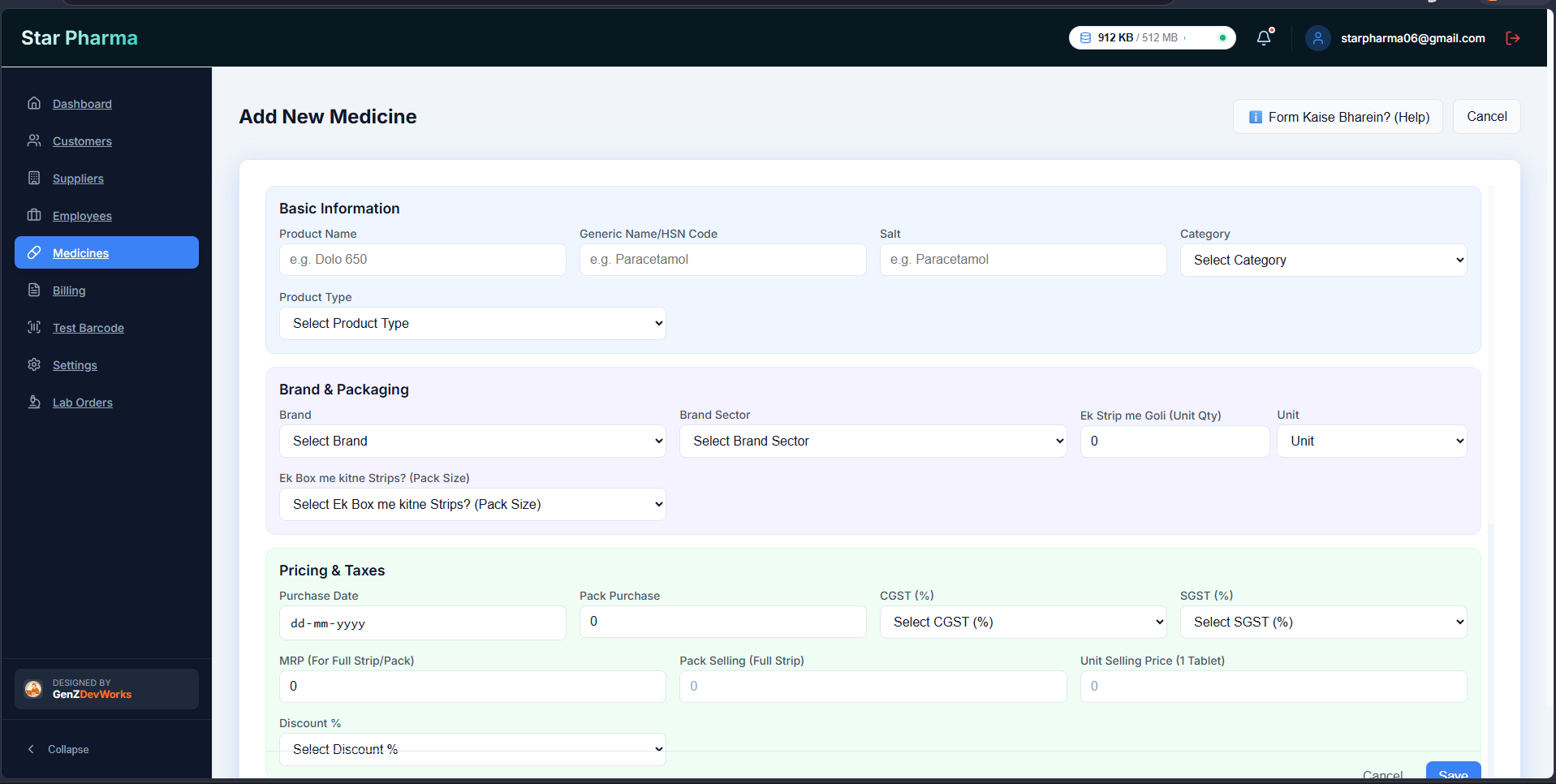
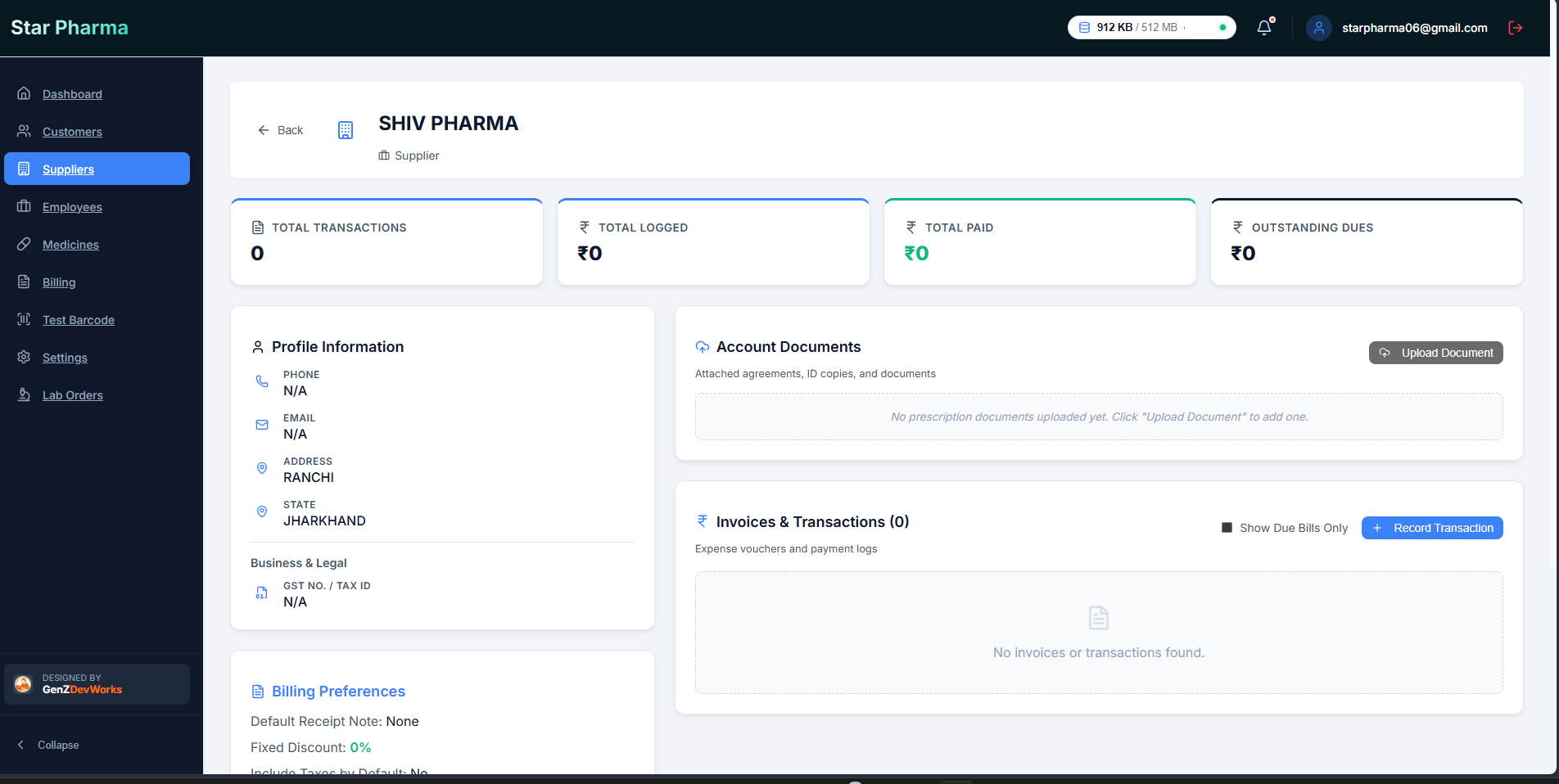
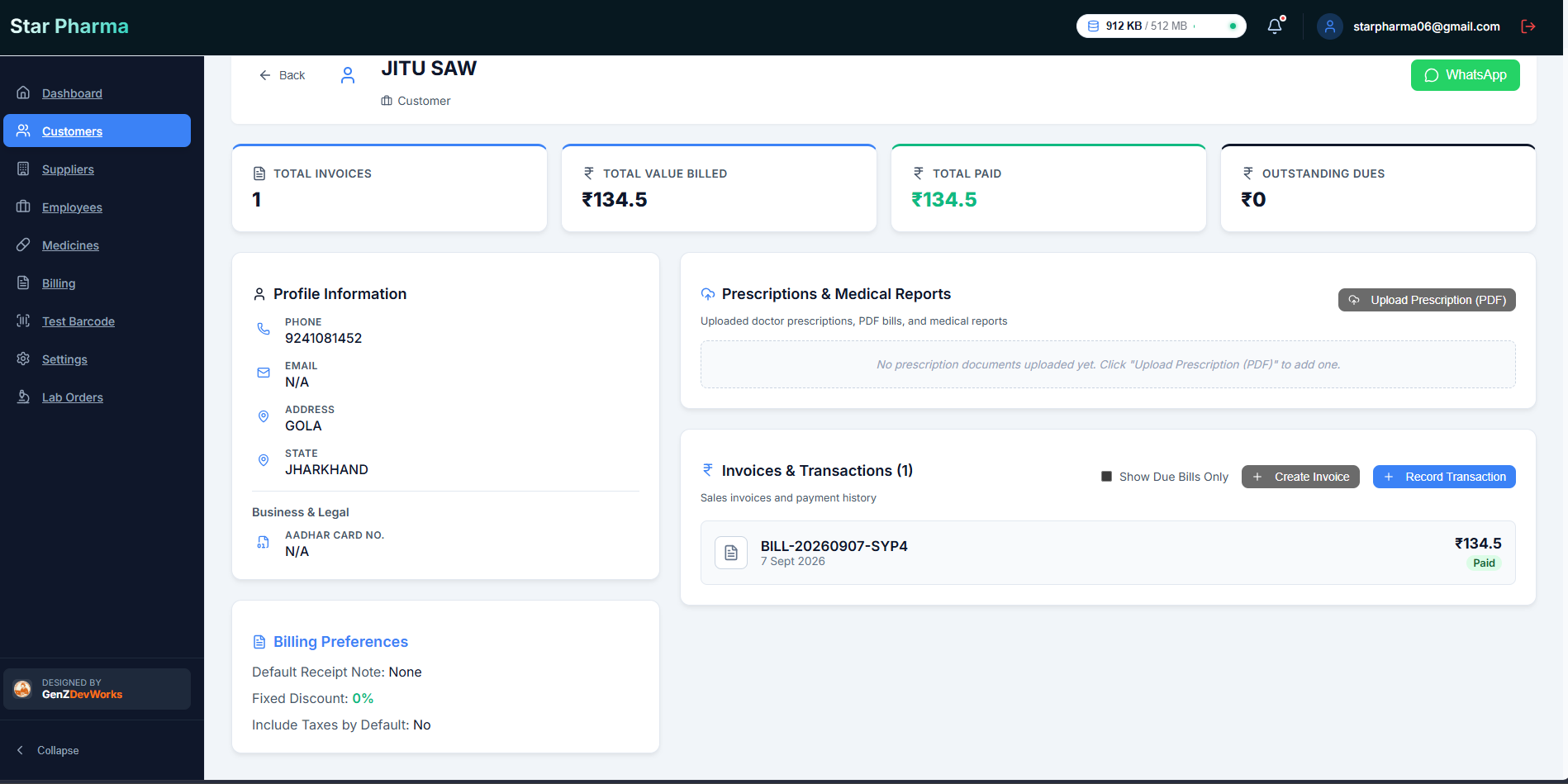
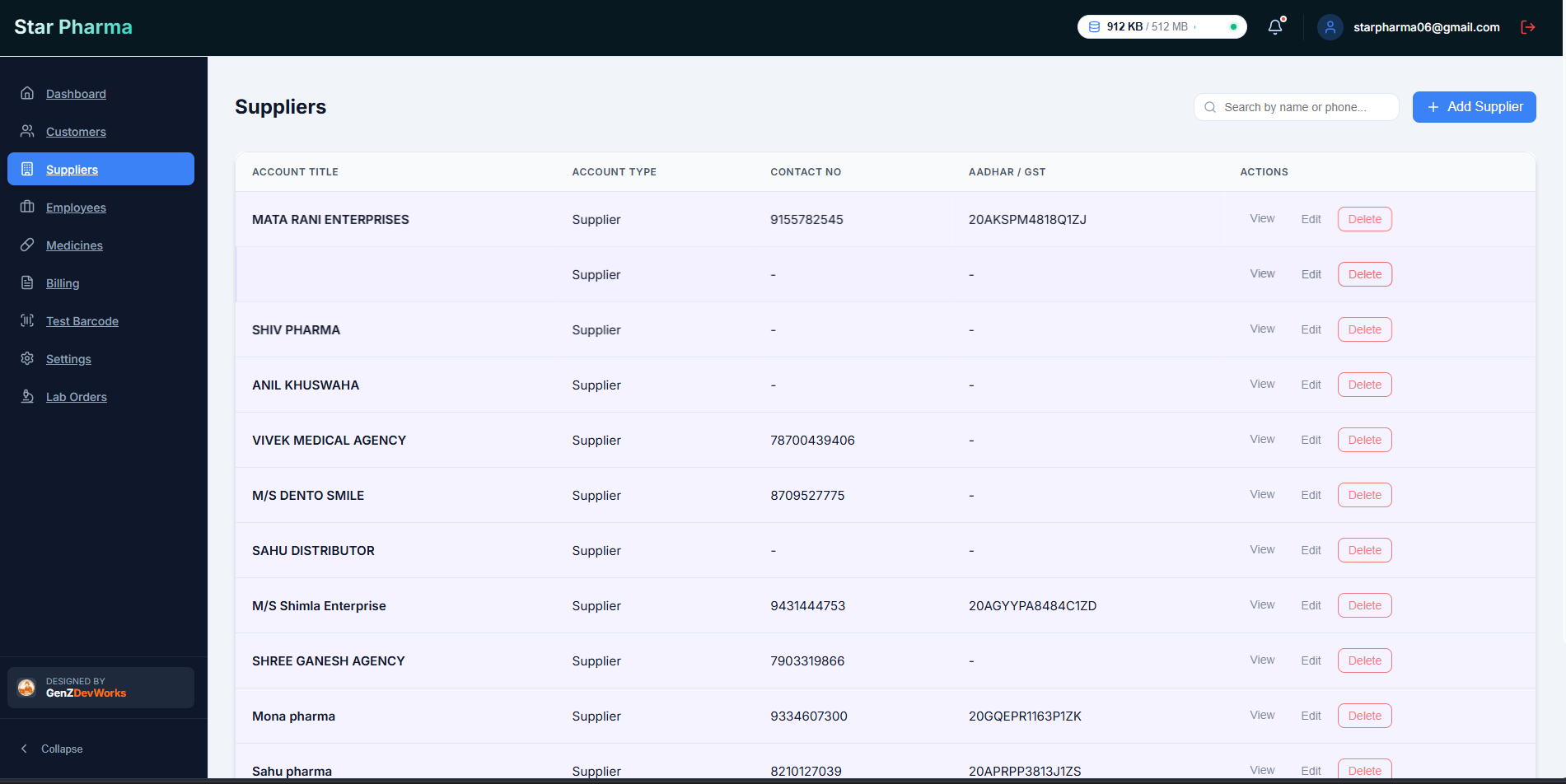
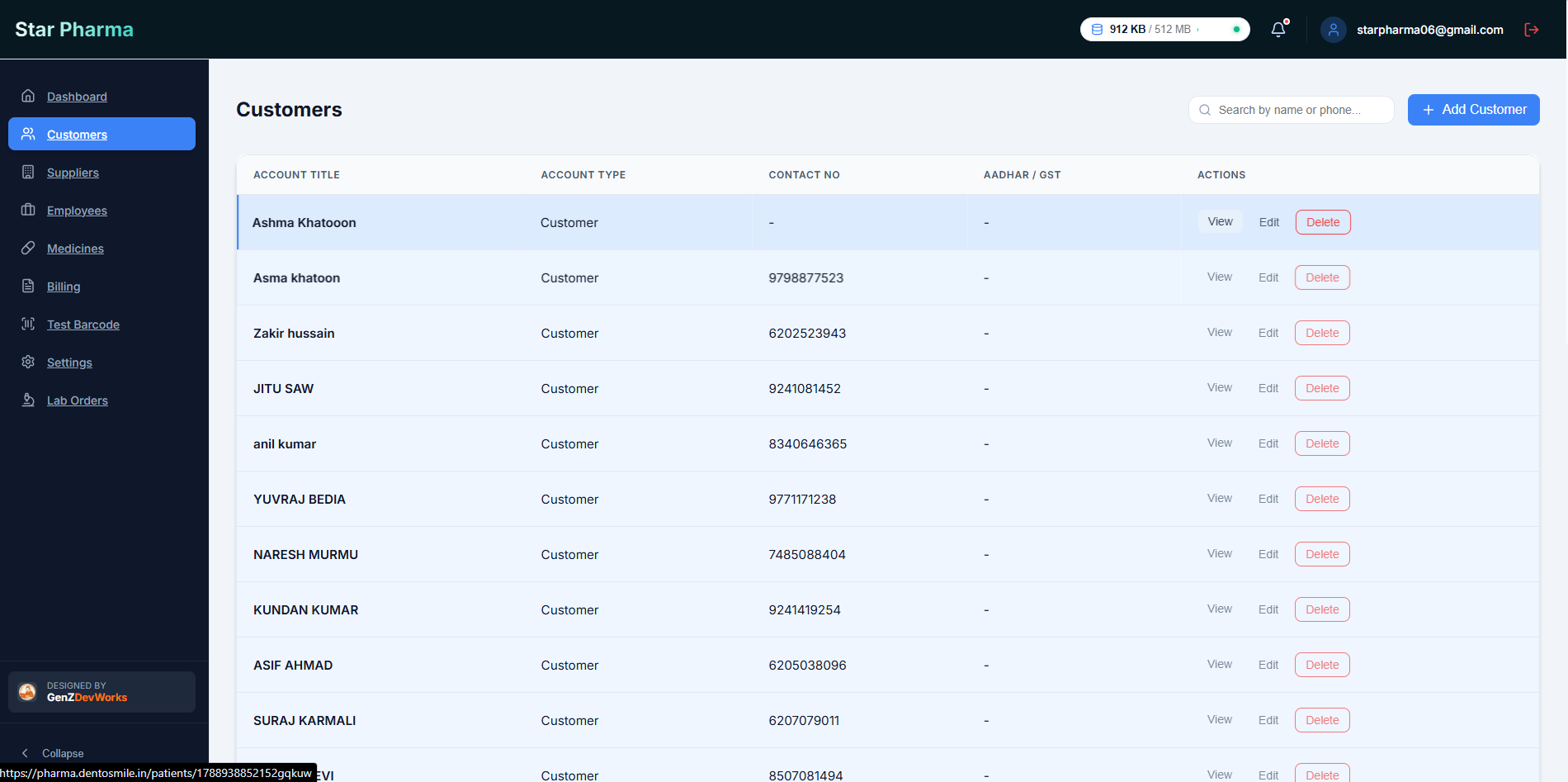
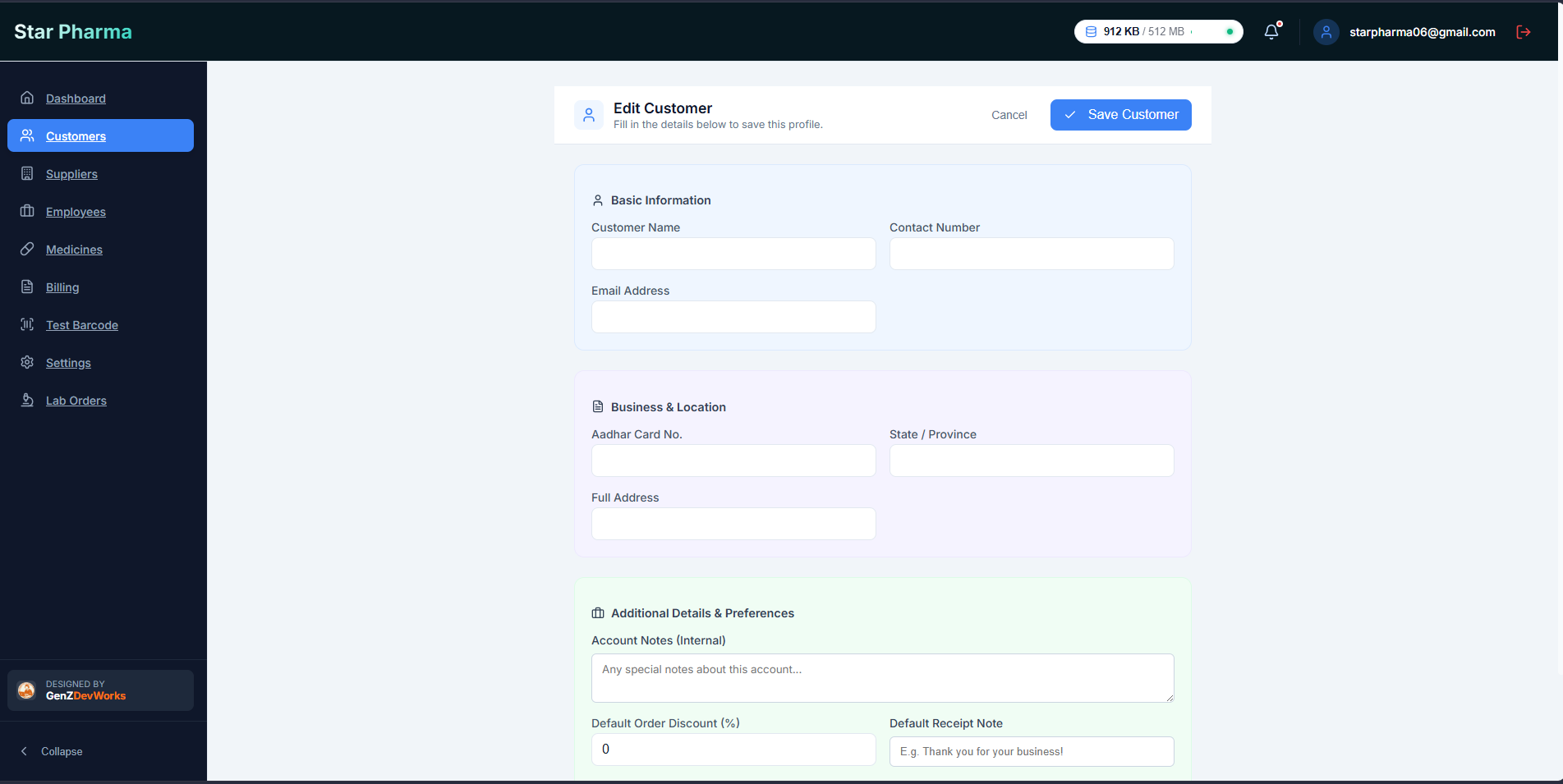
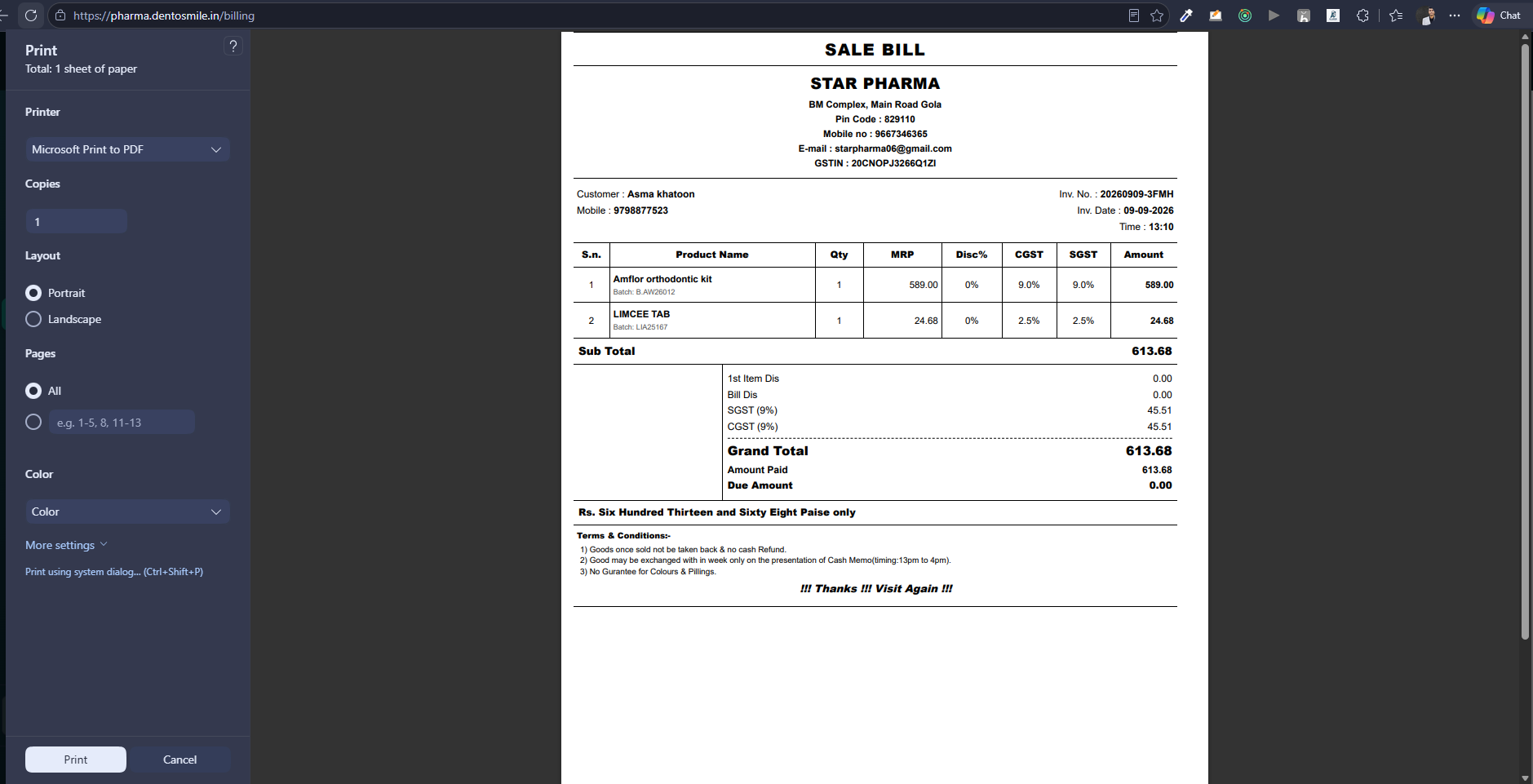
I approached the project by first understanding how the client actually worked on a daily basis rather than immediately starting development from the initial website requirement. After understanding the workflow, I divided the system into interconnected modules. 1. Medicine Management Created a centralized medicine-management module where the client can maintain important medicine information such as: Medicine name Quantity/stock Pricing Relevant medicine details Stock-related information The module provides a structured way to maintain medicine data instead of relying on manual records. 2. Inventory & Stock Workflow The medicine data was connected with the operational workflow so that medicine-related transactions could be tracked more systematically. The objective was to give the client better visibility into available stock and reduce the dependency on manual tracking. 3. Billing System Developed a billing workflow for creating bills and maintaining transaction information. The system connects billing with medicine information, making it easier to manage the relationship between items, quantities, pricing, and transactions. 4. Customer / Patient Management Created a centralized customer/patient module where relevant information can be maintained and accessed when required. This reduced the need to maintain information across multiple places. 5. Supplier Management Developed a supplier dashboard for managing supplier information and medicine-related records. This provides a centralized view of suppliers and helps organize the procurement side of the workflow. 6. Lab Order Management Built a dedicated lab-order workflow for creating and tracking laboratory orders. The system allows the user to maintain the order information digitally and connect it with the physical workflow. 7. Barcode-Based Identification One of the useful workflow improvements was introducing barcode-based identification for lab-related documents/cards. Instead of relying completely on manually checking information, the barcode can be used to associate the physical card/document with the corresponding digital record. 8. Admin Dashboard Created a centralized dashboard to provide an overview of important operational information and give the client a single place to manage the system. The dashboard acts as the central management layer connecting the different modules. 9. Customized UI/UX Rather than building a feature-heavy interface, I focused on creating a clean and task-oriented UI. The interface was designed around the client's actual usage patterns, with commonly required operations kept easily accessible. 10. Continuous Development The project didn't end after deployment. Because the client actively uses the system, I continue to collect feedback from actual usage and improve the product. For example: Client uses system → identifies friction/problem → shares feedback → workflow analyzed → feature/UI improved → deployed This created a continuous product-development cycle instead of a one-time software delivery.